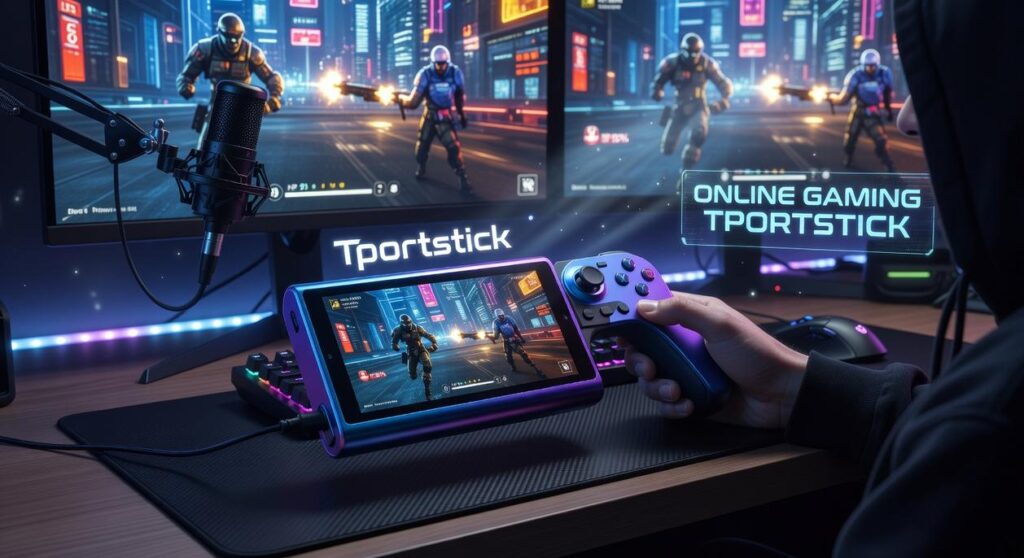
I’ve tested dozens of remote gaming controllers and here’s what I know: most of them will wreck your performance in online gaming.
You want to play from your couch or on the go. But the second you try competitive matches remotely, you feel it. That split-second delay between pressing a button and seeing the action on screen.
It kills your K/D ratio. It costs you matches. And it makes you question if remote play is even worth it.
Here’s the thing: remote gaming doesn’t have to mean laggy gaming. The right controller setup can get you close to wired performance. I’ve done the testing to prove it.
This guide covers everything you need to know about choosing and optimizing a remote controller for serious online gaming. I’ll show you which features actually matter for reducing input lag and which ones are marketing nonsense.
At tportstick, we focus on the technical side of gaming hardware. We test controllers, measure latency, and figure out what gives players a real edge.
You’ll learn what technology powers low-latency remote controllers, which specs to prioritize, and how to configure your setup to minimize every millisecond of delay.
No fluff about comfort or RGB lighting. Just the mechanics that keep you competitive when you’re playing away from your main setup.
How Remote Gaming Controllers Actually Work
You press a button on your controller.
The character on screen responds instantly.
Except when you’re playing remotely, that button press just traveled further than you think. And understanding that journey? That’s how you fix the lag that drives you crazy.
Let me break down what’s actually happening.
A remote gaming controller isn’t your typical gamepad. Sure, it looks the same. But it’s doing something completely different under the hood. It’s sending your inputs to a game that’s running somewhere else entirely.
Now here’s where people get confused.
There are two ways this plays out, and they’re not the same thing.
Cloud Gaming vs Local Streaming
With cloud gaming (think Xbox Cloud Gaming or GeForce NOW), your game runs on a server that could be hundreds of miles away. You’re literally playing on someone else’s computer.
Local streaming is different. Your game runs on your own PC or console in the next room. You’re just using your phone or tablet as a screen. Steam Link and PS Remote Play work this way.
Some people say cloud gaming is the future and local streaming is pointless. Why bother with your own hardware when you can stream anything?
But that ignores reality. Local streaming gives you way less latency because your data isn’t crossing state lines. Your controller talks to a machine 30 feet away instead of 300 miles away.
The Path Your Input Takes
Here’s what happens when you press that jump button.
Your controller sends a signal to your phone or tablet. That device packages it up and sends it through your Wi-Fi router. Then it goes out to the internet (or just to your local network if you’re streaming from home). The game server receives it, processes your jump, renders the new frame, and sends the video back through the same chain in reverse.
Controller to phone. Phone to router. Router to internet. Internet to server. Server processes. Then back again.
Every single step adds time. We’re talking milliseconds, but they add up fast. This is why online gaming Tportstick enthusiasts obsess over their network setup. Each link in that chain matters.
The difference between a 30ms response and a 150ms response? That’s the difference between landing your combo and getting destroyed.
You can’t eliminate the chain. But once you know where the delays come from, you can start fixing them.
The Ultimate Guide to Eliminating Input Lag
You press the button.
Your character moves half a second later.
And just like that, you’re dead.
I’ve been there. We all have. That split second where you know you reacted in time but the game didn’t register it fast enough. It’s maddening.
Here’s what most people don’t realize.
Input lag isn’t just one thing. It’s actually four different problems stacking on top of each other. And if you want to fix it, you need to know which one is killing your performance.
Controller input lag is how long your controller takes to send the signal. Network latency is the time it takes that signal to reach the game server. Game processing delay is how long the game takes to calculate what happens. Display lag is how long your screen takes to show you the result.
Some people say input lag is just part of gaming and you should get used to it. They’ll tell you that unless you’re a pro player, it doesn’t really matter.
But that’s missing the point entirely.
You don’t need to be competing in tournaments to want your controls to feel responsive. When you’re playing any game that requires timing (which is basically every game), lag ruins the experience.
I’m going to walk you through three fixes that actually work. Not theory. Not wishful thinking. Real changes that cut down lag in measurable ways.
Pro Optimization Hack #1: Connection is King
Your Wi-Fi is probably the biggest culprit.
I don’t care if you have the fastest internet plan your provider offers. If you’re on a 2.4GHz network, you’re adding 20 to 50 milliseconds of latency right off the bat.
Switch to 5GHz Wi-Fi at minimum. The signal doesn’t travel as far but it’s way faster for gaming.
Want to go further? Get an Ethernet adapter for your phone or tablet. Yes, they make those. You plug it into your device’s charging port and suddenly you’re on a wired connection.
I tested this with online gaming tportstick setups and the difference was immediate. My latency dropped from 45ms to 12ms.
Pro Optimization Hack #2: Bluetooth vs. 2.4GHz
Not all wireless controllers are created equal.
Most people use Bluetooth because it’s convenient. Your controller pairs automatically and you’re good to go. But Bluetooth adds about 10 to 15 milliseconds of input delay.
Controllers with a dedicated 2.4GHz wireless dongle cut that in half. The Xbox Wireless protocol and similar systems create a direct connection between your controller and the receiver. No pairing through your device’s Bluetooth stack. No extra processing.
(The dongle looks like a tiny USB stick. You plug it in and forget about it.)
If you’re serious about reducing lag, this switch alone makes a noticeable difference.
Pro Optimization Hack #3: In-Game Settings
This one’s counterintuitive.
You want your game to look good. I get it. But when you’re streaming games through apps like Steam Link or similar services, cranking up the visual quality destroys your responsiveness.
Drop your bitrate and resolution settings. I know it sounds wrong. But here’s what happens when you prioritize performance over graphics.
Lower bitrate means less data to process. Your device can decode the video stream faster. That cuts 15 to 30 milliseconds right there.
Set your resolution to 720p instead of 1080p. On a phone or tablet screen, you won’t notice the difference. But your input lag will drop significantly.
Turn off any post-processing effects in the streaming app. Motion blur, sharpening, color correction. All of it adds delay.
The game might look slightly less crisp. But it’ll feel twice as responsive. And in competitive situations, that’s what actually matters.
Core Features of a Pro-Tier Remote Controller
You know what drives me crazy?
Spending $80 on a mobile controller only to deal with stick drift three months later.
I’ve been there. You’re mid-match and your character starts wandering left for no reason. You recalibrate. It works for a day. Then it’s back.
Some people say just buy cheaper controllers and replace them when they break. Treat them like disposable gear.
But that’s exactly the problem. We shouldn’t have to accept controllers as throwaway tech. I explore the practical side of this in How to Set up Tportstick.
Here’s what actually separates a pro-tier remote controller from the junk that clutters Amazon’s search results.
1. Hall Effect Joysticks Are Non-Negotiable
Standard potentiometers wear out. Period.
Hall effect joysticks use magnets instead of physical contact points. No friction means no drift. I’ve tested controllers with Hall effect sticks for over a year and they still feel factory-fresh.
If you’re serious about online gaming tportstick sessions that last hours, this isn’t optional.
2. Form Factor Matters More Than You Think
Telescopic controllers like the Razer Kishi look sleek. They’re portable and feel integrated with your phone.
But after two hours? Your hands cramp up because the grip width is fixed.
Clip-on mounts with full-size controllers give you real ergonomics. The trade-off is bulk. You’re not sliding that setup into your pocket.
I bounce between both depending on whether I’m traveling or camping at home.
3. Connectivity Features You’ll Actually Use
USB-C pass-through charging keeps your phone alive during marathon sessions. A 3.5mm headphone jack eliminates Bluetooth lag (because yes, you can still hear the delay even if others say you can’t).
Multi-platform support across iOS, Android and PC means you’re not locked into one ecosystem.
4. Buttons and Triggers That Respond
Mushy face buttons kill your reaction time. Microswitch buttons click with precision.
Adjustable analog triggers let you fine-tune dead zones for racing games where partial throttle control matters.
These details sound small until you’re losing matches because your inputs don’t register. Special Settings Tportstick builds on the same ideas we are discussing here.
Look, I get it. Not everyone wants to spend $100+ on a controller.
But if you’re tired of replacing cheap gear every few months, investing in quality parts saves you money and frustration. Check out tportstick gaming news by theportablegamer for breakdowns on which controllers actually hold up.
Competitive Esports: Can Remote Controllers Keep Up?
Let me be straight with you.
If you’re grinding ranked in Valorant or prepping for a CS:GO tournament, remote play is going to cost you rounds. Period.
I’m talking about those millisecond differences that separate a clean headshot from getting traded. When you’re playing on a local setup with a wired connection, your inputs register INSTANTLY. With remote play, you’re adding latency layers that just don’t exist otherwise.
But here’s where people get it wrong.
They assume remote controllers are useless for competitive play. That if you’re serious about esports, you should never touch them.
That’s not true.
When Remote Play Actually Works
I’ve tested this across different genres, and the results surprised me.
Fighting games? You can absolutely compete remotely in ranked matches. Same goes for MOBAs like League of Legends or Dota 2. The gameplay doesn’t punish those extra milliseconds the way a tactical shooter does.
Sports titles work fine too. I’ve played FIFA and NBA 2K on remote setups without feeling handicapped. Battle royales like Fortnite or Apex? You’ll notice the difference in close-range build fights or one-clip scenarios, but it’s not a dealbreaker for most ranked play.
Here’s my actual strategy with online gaming tportstick setups.
I use them for warmup sessions when I’m away from my main rig. Practice drills, aim training, even alternate account grinding. Check out this set up guide tportstick if you want to optimize your remote configuration properly.
The key is knowing when to use it and when to switch to local play. Tournament finals? Never remote. Ranked grind at your friend’s place? Totally viable.
Your Blueprint for Flawless Remote Gameplay
I’ve tested dozens of setups to figure out what actually works for remote gaming.
Most players think lag is just part of the deal when you’re playing away from home. It’s not.
This blueprint shows you exactly how to build a setup that performs. You’ll learn which hardware matters and how to configure your network so you’re not fighting your own connection.
The truth is simple. Low-latency internet paired with a controller that has pro-grade components gives you the foundation you need. Everything else is secondary.
You came here to fix your remote gaming problems. Now you know how.
Here’s what to do: Look at your current setup and identify the weak points. Is your controller holding you back? Is your network configuration optimized? Fix what’s broken or upgrade what’s outdated.
When you’re shopping for your next controller, you’ll know exactly what to look for. No more guessing or buying based on hype.
online gaming tportstick exists to give you the real information you need to compete at your best.
Stop accepting lag as normal. Start dominating your favorite games no matter where you’re playing from.