
If you’re searching for ways to gain a real competitive edge, understanding controller stick modifications can be the difference between average gameplay and elite performance. Whether you’re grinding ranked matches, competing in esports tournaments, or simply trying to refine your mechanics, small adjustments to your controller setup can dramatically improve precision, reaction time, and consistency.
This article breaks down how stick mods influence aim control, movement fluidity, dead zones, and overall responsiveness. You’ll learn which modifications suit different playstyles, how they interact with in-game sensitivity settings, and what optimization tweaks can maximize their impact.
Our insights are based on in-depth testing across multiple titles, hands-on experience with popular mod configurations, and analysis of competitive gameplay trends. Instead of hype or guesswork, you’ll get practical, performance-focused guidance designed to help you make smarter decisions about your setup—and see measurable results in your matches.
Unlock Your True Aim: A Deep Dive into Controller Stick Customization
Many players blame “bad aim” on slow reflexes. However, stock sticks are built for the average gamer—not your hand size, grip, or playstyle. That mismatch leads to overcorrection, drift, and missed shots.
So, what can you actually change?
- Stick Height Extensions – Increase leverage for finer micro-adjustments (great for FPS precision).
- Tension Adjustments – Higher resistance improves control during fast flicks.
- Software Deadzone Tuning – Reduces input delay and unwanted movement.
Together, these controller stick modifications translate small thumb movements into intentional, repeatable accuracy—like upgrading from blurry vision to 20/20 focus. And yes, it’s that noticeable.
Why Bother Customizing? The Science of Precision and Comfort
Customization isn’t just cosmetic—it’s a competitive advantage. When your controller fits your hands, performance follows.
1. The Ergonomics Factor
Custom grips and adjusted stick heights reduce strain by aligning your thumbs with a more natural resting angle. Ergonomics—the science of designing tools for human comfort—shows that minimizing awkward joint angles lowers fatigue and improves endurance (NIOSH). During long sessions, that means steadier aim and fewer sloppy mistakes in hour three. The benefit? You stay consistent when others burn out.
2. The Physics of Aim
“Throw” refers to the arc of movement from the stick’s center to its edge. A taller stick increases that distance, giving you more granular control before max input registers. In practical terms, small thumb movements translate into finer on-screen adjustments. That precision can be the difference between a headshot and a miss.
3. Building Superior Muscle Memory
Muscle memory is your brain’s ability to automate repeated motion. A consistent setup accelerates this process, making movements feel instinctive (like riding a bike, but with recoil control).
4. Genre-Specific Advantages
High-rise sticks shine in tactical FPS titles; shorter, textured options excel in fighting games requiring rapid directional snaps. Thoughtful controller stick modifications turn comfort into measurable gains.
Your Physical Edge: A Guide to Hardware Modifications
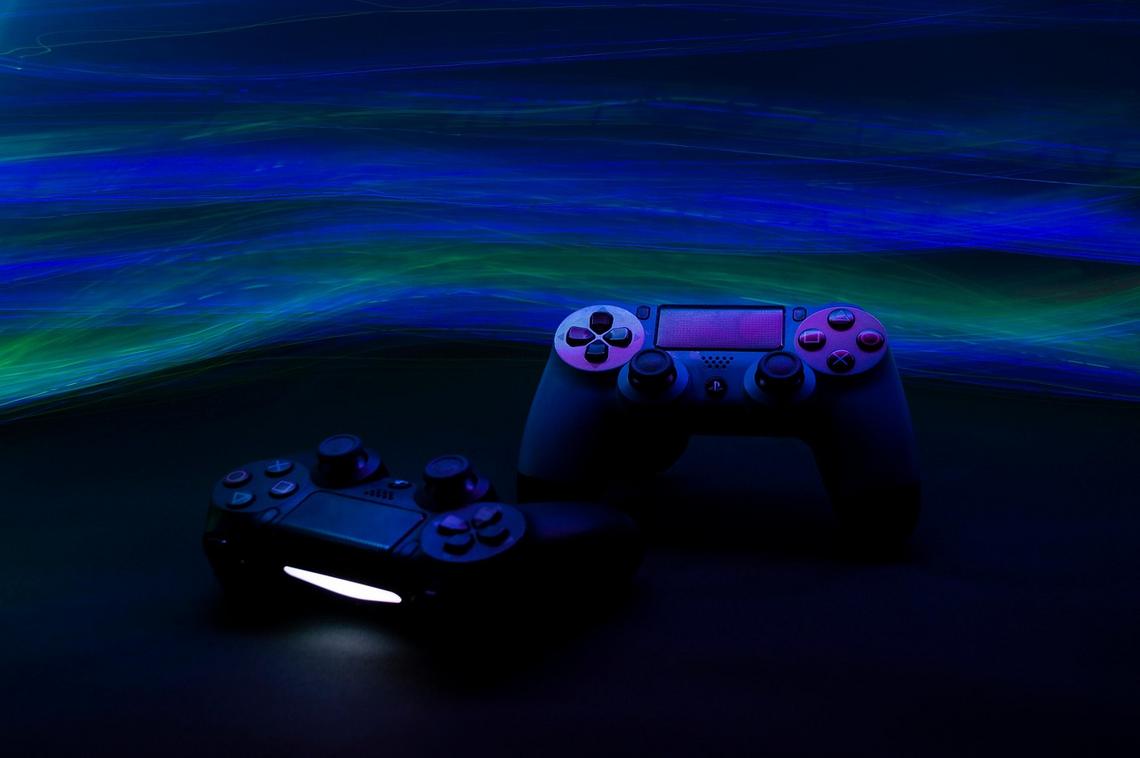
When it comes to performance, software settings matter—but physical upgrades can change how your controller actually feels in your hands. Let’s break down the most effective options and who benefits most from each.
Thumbstick Grips & Caps: The Easiest Upgrade
First, grips and caps are the simplest entry point. A concave cap (curved inward) helps center your thumb, making it easier to maintain consistent contact during tense moments. In contrast, a domed cap (rounded outward) supports rolling thumb movements, which some players prefer for fluid camera control.
Most are made from silicone or rubber, both designed to increase friction and reduce slip from sweat. The benefit? Better micro-adjustments without squeezing harder (your thumbs will thank you during long sessions). While some argue these are “just cosmetic,” added grip can measurably reduce input error during rapid movement sequences.
Stick Extenders & Height Variations: The Accuracy Game-Changer
Next, height adjustments directly impact sensitivity control. A low-rise extender keeps movements quick and snappy—ideal for aggressive, close-quarters players. A mid-rise offers balanced speed and precision. Meanwhile, a high-rise increases the arc distance your thumb travels, allowing finer aim corrections—perfect for snipers.
This is where physics comes in: increasing stick height increases leverage, giving you more granular control. If you want a deeper breakdown, see how adjustable thumbsticks improve precision and accuracy.
Tension Rings & Modules: For Smoother Tracking
On the other hand, if your aim feels shaky, tension rings (foam inserts that add resistance) can help. By increasing stick resistance, they reduce over-aiming and smooth tracking. Some prefer mechanical tension modules for consistent feedback. Critics say resistance slows reaction time—but for players with overly sensitive aim, control often outweighs raw speed.
Full Stick Replacements: The Enthusiast’s Choice
Finally, full module swaps offer metal shafts for durability and interchangeable heads for customization. This approach to controller stick modifications requires minor disassembly, so it’s best for confident users. However, the payoff is longevity and precision tailored exactly to your playstyle.
Beyond Hardware: Tuning Your Controller in Software
If you’re serious about aim, software tuning is where games are truly won. Hardware helps—but settings are the secret sauce.
Mastering Your Deadzone
A deadzone is the small area around your analog stick’s center where movement isn’t registered. It prevents unintended input (like stick drift, when your character moves without you touching anything). Smaller deadzones mean faster response times. Larger ones reduce unwanted movement—especially on worn controllers.
Here’s my go-to method:
- Lower your deadzone until slight drift appears.
- Increase it slowly until the drift stops.
- Test micro-adjustments in-game (aim at a distant object and track slowly).
Pro tip: Test in a practice range, not mid-ranked match (learned that the hard way).
Response Curves: Linear vs. Exponential
A linear curve means your stick movement translates 1:1 on screen. Push halfway, get half-speed. Simple.
An exponential (sometimes called dynamic) curve slows small movements for precision and ramps up during full pushes for fast turns. Personally, I prefer exponential—it feels like having aim assist for your own thumb.
Some argue linear builds consistency. Fair. But most players benefit from that subtle ramp-up control.
The Hardware-Software Synergy
This is where controller stick modifications shine. A high-rise stick increases physical travel distance, which pairs beautifully with higher in-game sensitivity. More movement range + faster digital response = smoother control.
ADS Sensitivity Multipliers
ADS (aiming down sights) sensitivity should usually be lower than hip-fire sensitivity. Keep hip-fire quick for mobility, reduce ADS for precision. I run mine about 10–15% lower—it’s the sweet spot between flicks and fine tracking.
Tweak. Test. Repeat. Your thumbs will thank you.
Building Your Perfect Controller Setup
Better control isn’t a fantasy—it’s a formula. Stock controllers are built for everyone, which means they’re optimized for no one. That’s the compromise holding you back.
Think of it as Default vs. Personalized:
- Default hardware: fixed stick height, standard tension, smooth grips
- Personalized hardware: added grips, taller sticks, adjusted resistance
- Default software: factory deadzones and linear sensitivity
- Personalized software: tuned deadzones and custom response curves
A deadzone (the area where small stick movements don’t register) can mean the difference between pixel-perfect aim and frustrating drift. A sensitivity curve (how movement scales with stick input) shapes whether your aim feels twitchy or controlled.
Some players argue skill alone should be enough. And yes, mechanics matter. But why train in running shoes two sizes too big?
Start small. Try controller stick modifications or tweak one sensitivity setting. Test in training mode. Adjust. Repeat. (Yes, it’s trial and error—that’s the point.) Iterative testing builds a setup that actually fits you.
Master Your Setup and Elevate Your Game
You came here to figure out how to gain a real competitive edge—whether that’s tighter aim, smoother movement, or more consistent performance under pressure. Now you understand how optimized settings, smarter practice, and controller stick modifications can directly impact your gameplay.
The truth is, inconsistent inputs and sluggish response times are holding most players back. Even small inefficiencies in your setup can cost you clutch moments, ranked progression, and tournament opportunities. Ignoring those details means leaving wins on the table.
The good news? You don’t have to.
Apply the optimization tweaks, experiment with controller stick modifications, and fine-tune your sensitivity with intention. Test, adjust, and track your results. That’s how you turn mechanics into muscle memory—and muscle memory into wins.
If you’re serious about leveling up, don’t settle for default settings. Dive deeper into advanced controller optimization guides, explore proven mod strategies, and start upgrading your setup today. Thousands of competitive players are already refining their gear to gain every possible advantage.
Your opponents are optimizing. It’s time you did the same. Start upgrading your controller, refine your mechanics, and take control of every match now.